Use the icon to apply the same dates and times as specified for the booking.
Select the Membership group and Members to add to the booking roll call.
Roll call type. Select either “Single roll call” or “Double roll call”.
“Single roll call” would apply to events where attendance is only recorded once, usually upon arrival.
“Double roll call” would apply if you need to record arrival and departure for e.g.
The icon alongside the Members field will bring up the “Member subhirable assignment report” which includes all subhirable assignments and roll calls the member has been assigned to over the reporting period.


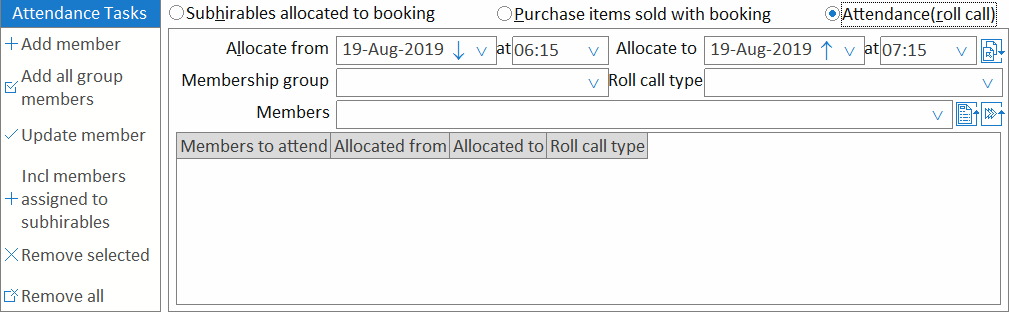
 icon to apply the same dates and times as specified for the booking.
 icon alongside the
  icon alongside the